ChessBFF
ChessBFF is a full-stack web chess app built for chess beginners, where players can give themselves a head start by removing pieces from their opponent's side of the board.
Visit live product →Objective
Most chess platforms are built for players who already know how to play, so beginners lose repeatedly and quit within their first few games. The goal of ChessBFF was to remove that first wall. Users can adjust the difficulty through game piece handicaps, friendly visuals, and visible progress.
User Journey at a Glance
- 1Sign up — Email/password account, username claimed on first run.
- 2Choose a mode — vs Computer, vs Friend, or Custom Game.
- 3Custom Game — Remove pieces from the opponent's starting position to set the difficulty, then play that handicapped board against the computer or a friend. The opponent isn't told which pieces are missing. Discovering it is part of the game.
- 4Play — Legal-move highlighting, tap-or-drag movement, resign available at any time.
- 5Finish — The result is written to history; XP and achievements update.
- 6Return — The home screen shows level progress, day streak, and a weekly activity strip to pull players back the next day.
How the Game Works
Rules & Security
| Rule | How it's enforced |
|---|---|
| Players can only see their own games | Row-level security on the games table, scoped to the two participants. |
| Players can't move out of turn or make illegal moves | Moves are validated server-side in an edge function, not trusted from the browser. |
| No XP without real play | Games with no moves are excluded from history and progression. |
| Games can't be resumed once left | A finished or abandoned game moves to history as a read-only record. |
| Players can't grant themselves XP | Column-level UPDATE on the XP field is revoked from signed-in users; a database trigger reverts any tampering. |
| Only paying members can create games | The paywall is enforced in the create-game function and in the row-level insert policy, so bypassing the app doesn't bypass the paywall. |
| No arbitrary notification content | Notification titles and bodies are templated server-side from the event type; the sender can't inject text. |
| Billing data stays private | Stripe customer/subscription IDs and emails are not readable by signed-in users. |
| No direct database function calls | Every remote procedure was moved behind an authenticated edge function and direct execute rights were revoked. |
| Abuse protection | Rate limiting on game creation and moves, plus client-side backoff. |
| Hardened responses and headers | Generic error responses (no internal detail leaked) and strict security headers including a content-security policy. |
Tools & Stack
| Tool | Role |
|---|---|
| TypeScript | Type safety across the entire front end and all server functions. |
| React 18 + Vite | Single-page application and fast build/dev tooling. |
| chess.js | Move generation, legality, check/checkmate/draw detection. |
| react-chessboard | Board rendering, drag-and-drop, custom piece and square styling. |
| Stockfish (WebAssembly) | The computer opponent, run in a Web Worker with a tunable skill level. |
| Supabase Postgres | Games, profiles, friendships, notifications, subscriptions. |
| Supabase Auth | Email/password accounts, password reset, leaked-password protection. |
| Supabase Realtime | Live board sync and notification delivery, scoped per game and per user. |
| Supabase Edge Functions (Deno) | 15 server-side endpoints: move validation, game creation, invite accept/decline, resign, notifications, checkout, webhooks, cancellation, account deletion. |
| Row-Level Security & column grants | The real access-control layer. The app is not the only gatekeeper. |
| Stripe Checkout + webhooks | Subscription payments, promo codes, and status sync back into the database. |
| Google Analytics 4 + Search Console | Traffic instrumentation, sitemap submission, indexing health. |
Results
The Hardest Problem
The handicap builder. Removing pieces means generating a legal board state from scratch. It had to include fixing castling rights when a rook or king is removed so the game still follows the real rules of chess.
What's Next
Daily tactical puzzles to build pattern recognition.
Timed games for players ready for pressure.
Short guided lessons woven.
App Preview


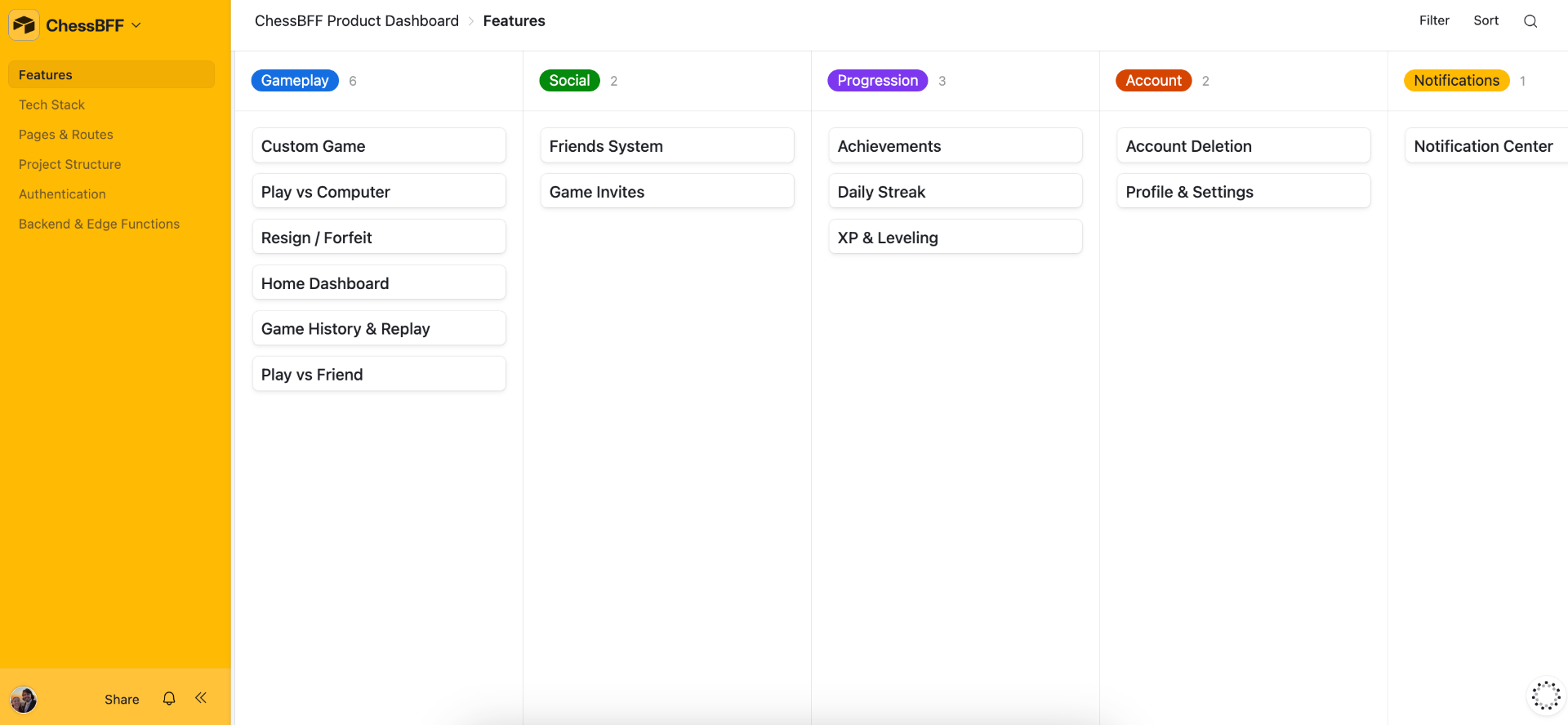
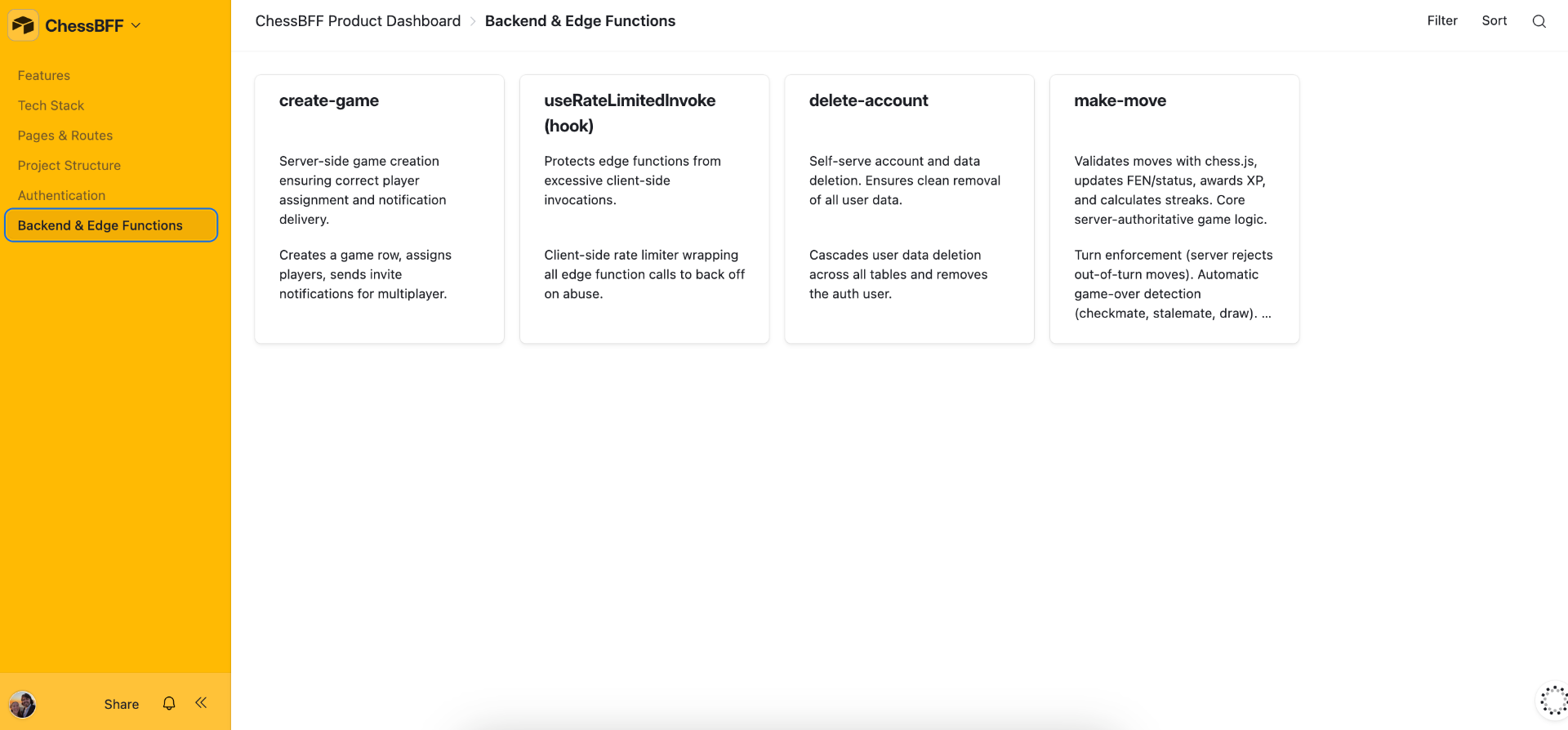
Live Product Dashboard
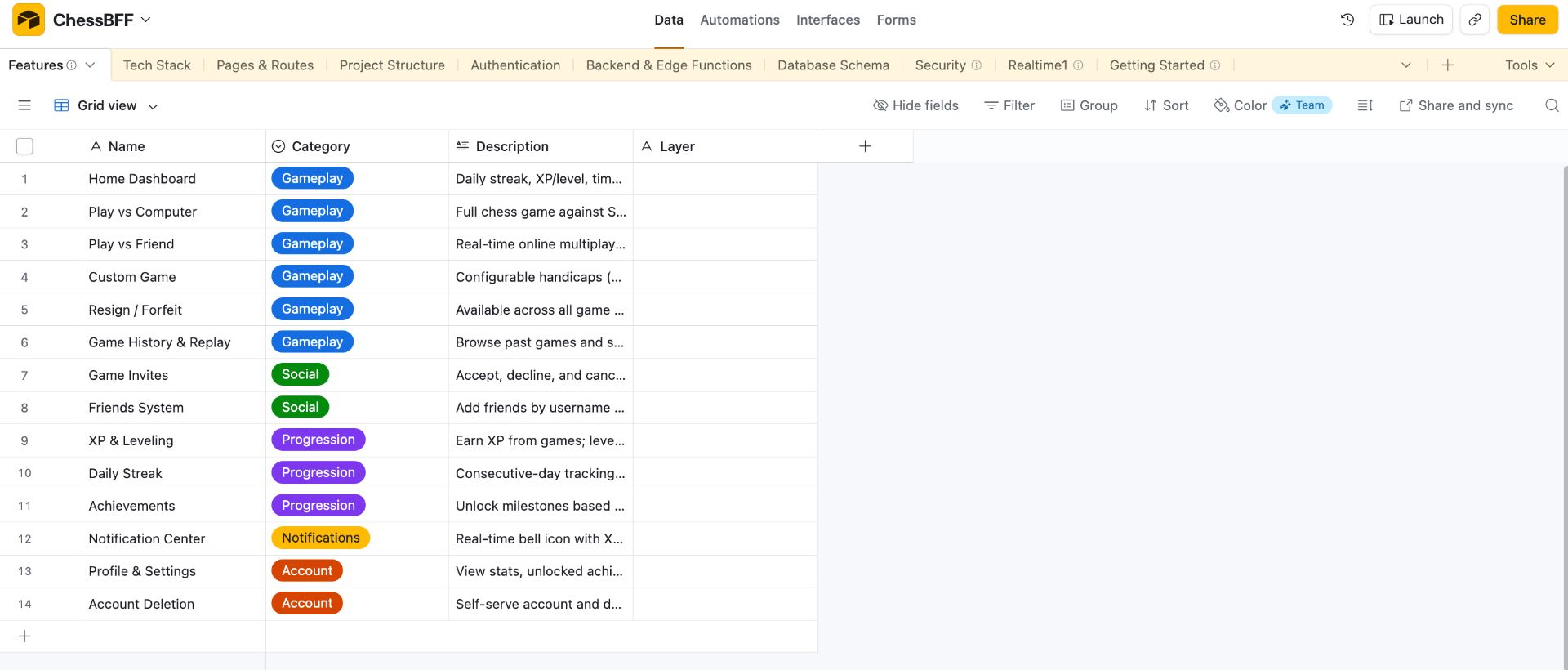
An Airtable Interface pulled from the GitHub README of the app. A living product dashboard that maintains the true state of the app as it evolves.
Objective
To translate the GitHub README file into a high-level view of how the app is built and allow for onboarding additional team members.
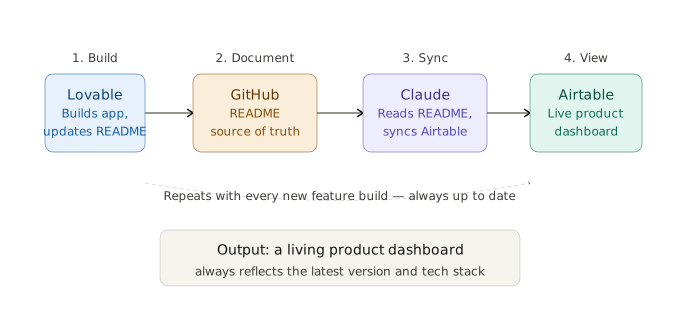
Pipeline at a Glance
Build Process
- 1Lovable connected to GitHub — Updates the README file as new features are built.
- 2Claude reads the README — Updates the Airtable base in the corresponding table.
- 3Airtable Interface — Shows an up-to-date view of the latest version and tech stack of the app.
Rules Given
- Lovable: Add to the README file as new features are finalized, only after the prompting session ends.
- Claude: Only pull from the README.
- Airtable: Prompted Omni to create the Interface.
Tools & Stack
| Tool | Role |
|---|---|
| Lovable | Update the GitHub README. |
| GitHub | Where the README file lives. |
| Claude | Read the README and update the Airtable base. |
| Airtable | Store data and show the interface. |
Results
A multi-tool flow of information across Lovable, GitHub, Claude, and Airtable. It goes from prompting the app to maintaining an up-to-date product dashboard.
Airtable Interface Preview