Case Study 2
Live Product Dashboard
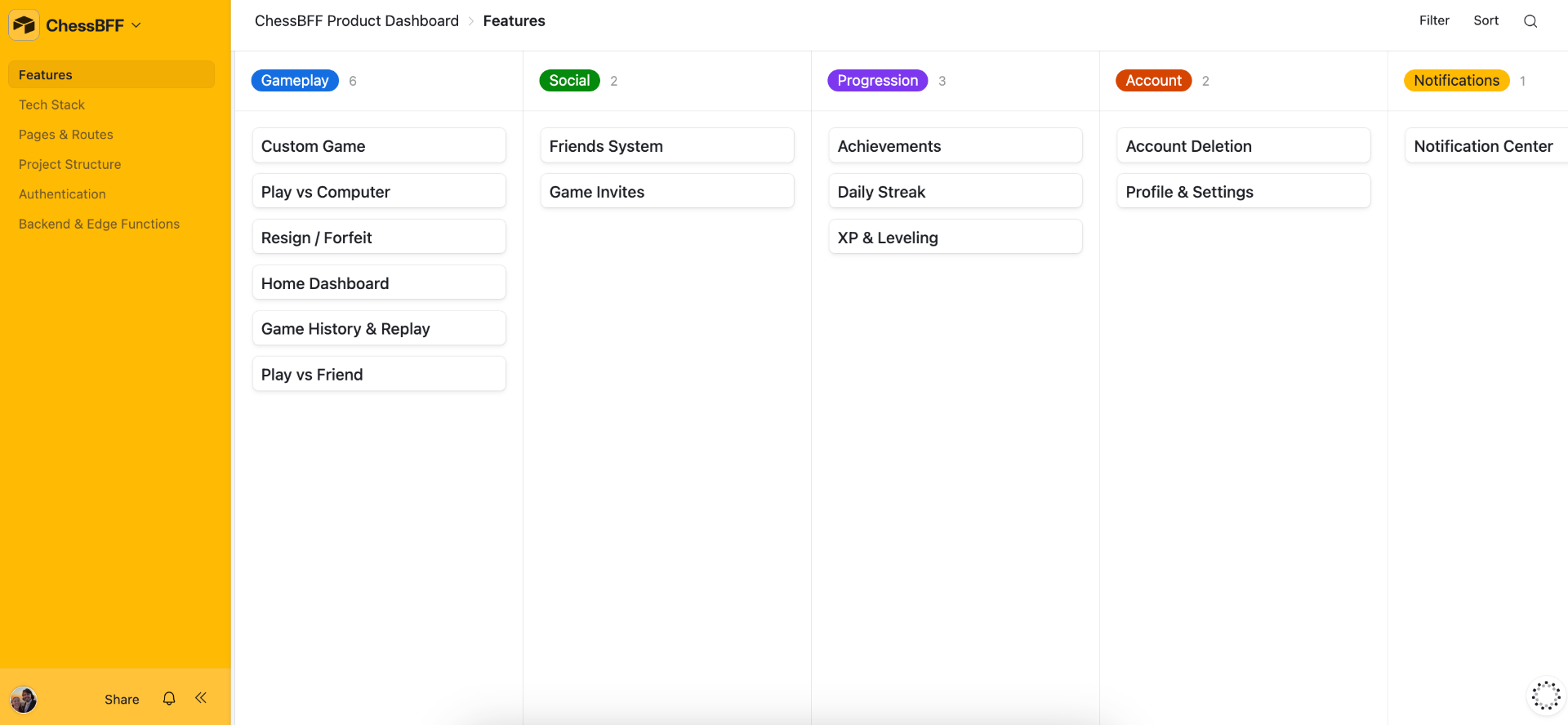
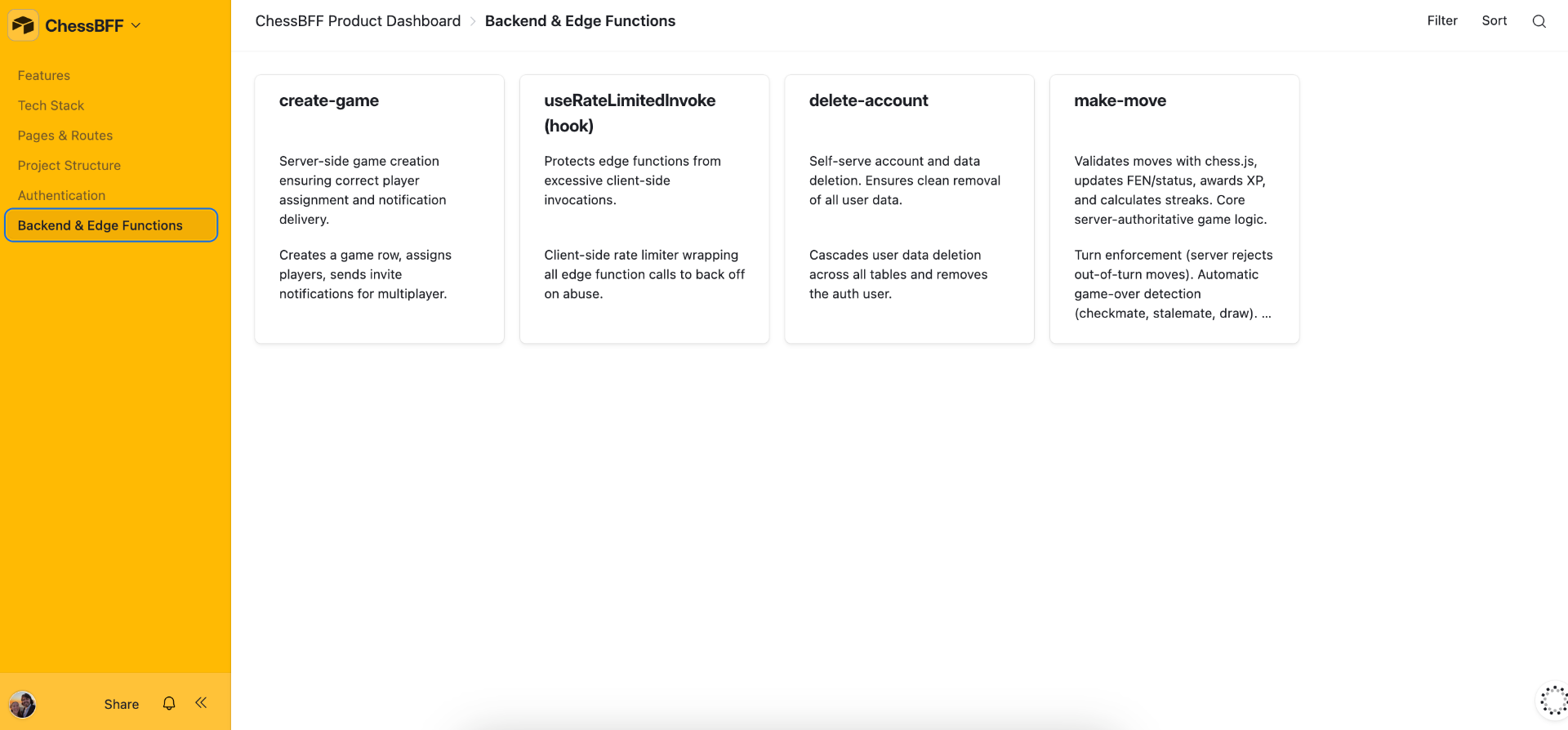
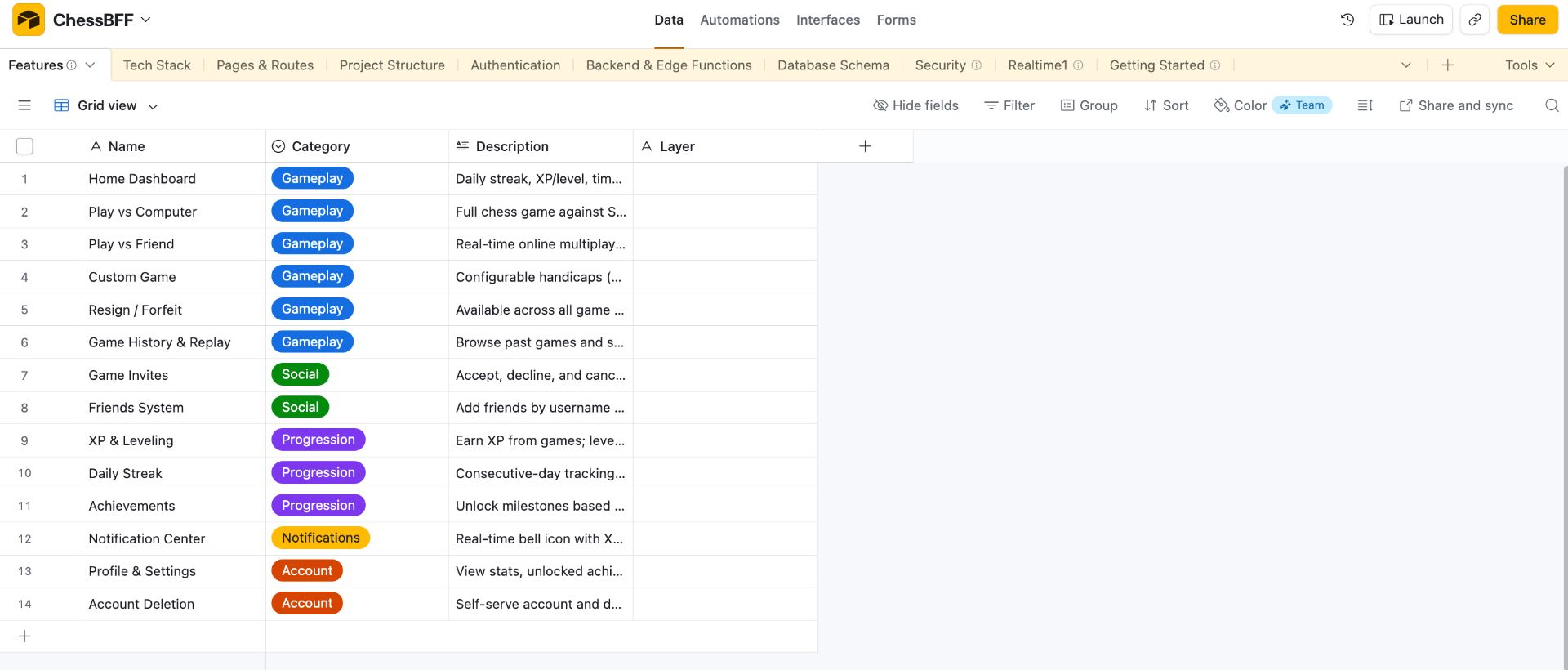
An Airtable Interface pulled from the GitHub README of the app, ChessBFF. A living product dashboard that maintains the true state of the app as it evolves.
Objective
To translate the GitHub README file into a high-level view of how the app is built and allow for onboarding additional team members.
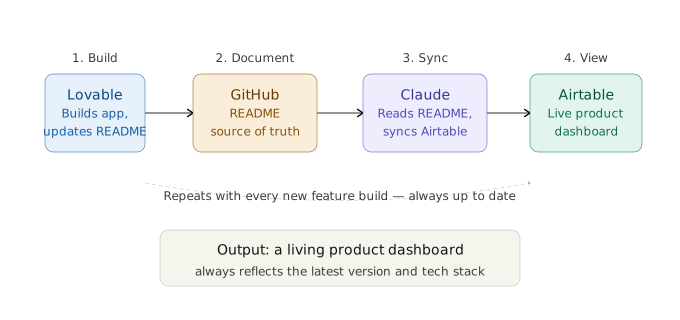
Pipeline at a Glance
Build Process
- 1Lovable connected to GitHub — Updates the README file as new features are built.
- 2Claude reads the README — Updates the Airtable base in the corresponding table.
- 3Airtable Interface — Shows an up-to-date view of the latest version and tech stack of the app.
Rules Given
- Lovable: Add to the README file as new features are finalized, only after the prompting session ends.
- Claude: Only pull from the README.
- Airtable: Prompted Omni to create the Interface.
Tools & Stack
| Tool | Role |
|---|---|
| Lovable | Update the GitHub README |
| Claude | Read the README and update the Airtable base |
| Airtable | Store data and show the interface |
Results
A multi-tool flow of information across Lovable, GitHub, Claude, and Airtable. It goes from prompting the app to maintaining an up-to-date product dashboard.
Airtable Interface Preview